My Wafa - Assur
- 4.2
- Rating
- 1.00M
- Installs
- Free
- Price

 Analysis by App-foxy
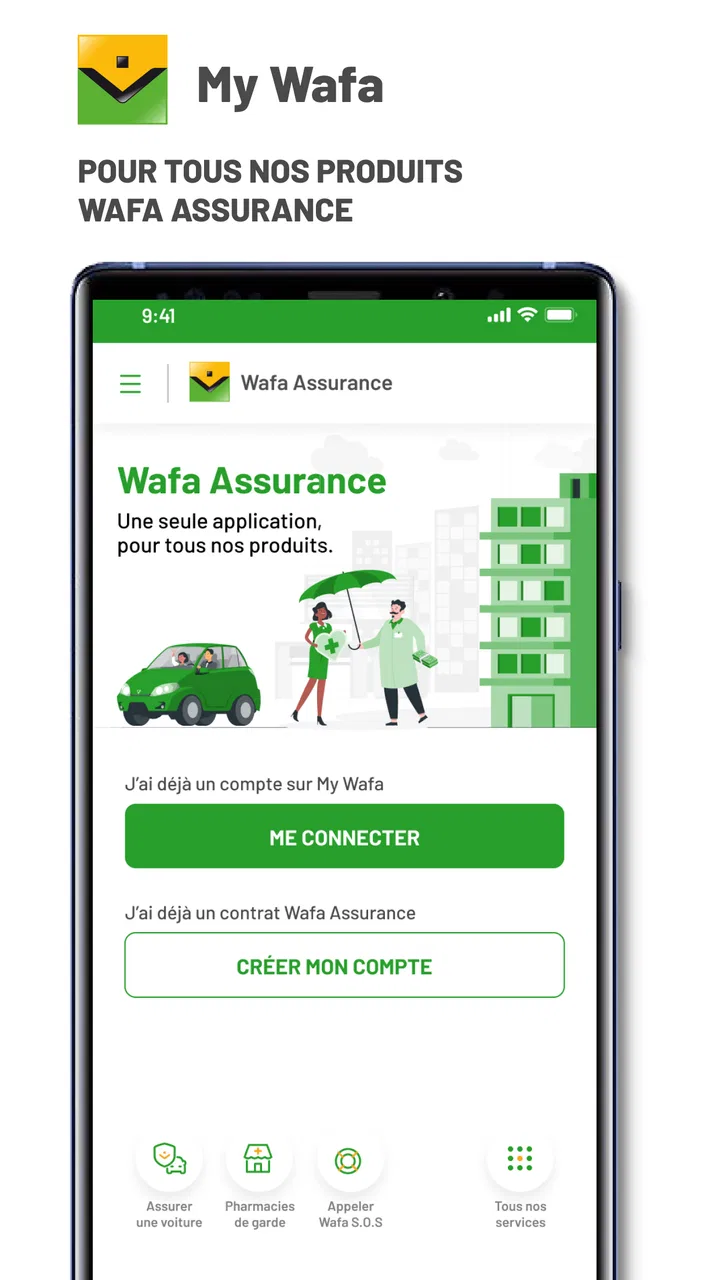
Managing insurance is rarely something I want to do for fun, but it is exactly the kind of task I prefer to handle from my phone when the alternative is searching through papers or waiting to reach an office. My Wafa - Assur is built for that practical purpose. Developed by Wafa Assurance, this free Android application brings Auto, Health and Savings insurance into one mobile space. I found its value less in flashy extras and more in the idea of having policy-related tasks close at hand when I actually need them.
The app belongs to the Libraries & Demo category, although that label does not really explain the everyday experience. In practice, it is an insurance-management tool. It is rated for Everyone, and its broad audience makes sense: the interface is aimed at ordinary policyholders rather than insurance professionals. The application first appeared on November 9, 2017, and the current version is 4.8.3. It requires Android 8.0 or later, so people using a very old phone may need to check compatibility before planning around it.
What it feels like to use My Wafa for real insurance tasks
My first impression is that this is an app I would open with a specific reason in mind. I would not install it expecting a general finance dashboard, a comparison marketplace, or an educational insurance library. Its central job is narrower: help Wafa Assurance customers manage their Auto, Health and Savings insurance from a mobile device.
You May Also Like

 Pandora - Music & Podcasts
Pandora’s Music Is Easy to Start, but Harder to Recover
Pandora’s strength is its low-effort path from a seed to a station. Its weak spot is how much confidence it asks you to place in connection, setup, and quiet recovery.

 8 Ball Pool
 Is Built on Rivalries, Rematches, and Routine
A close look at the rivalries, rematches, shared routines, and unanswered safety questions that turn a quick pool match into a persistent mobile community.

 Samsung Music
’s Quiet Strength Is Playing What You Already Own
Its reach comes less from spectacle than from dependable access to a personal library. That simplicity is both the app’s strongest retention engine and its ceiling.

 AccuWeather: Weather Radar
AccuWeather Review: A Quick, Clear Forecast for Everyday Decisions
For everyday plans, the best forecast is the one you can understand quickly. AccuWeather makes rain timing, radar, and local conditions easy to act on, with a few trade-offs.

 Hill Climb Racing
Why Hill Climb Racing Still Turns Crashes Into One More Run
A tiny car, a bumpy hill and one more upgrade: Hill Climb Racing keeps resurfacing because its simple chaos makes every near-miss feel personal.

 AliExpress - Shopping App
AliExpress Makes Global Shopping Feel Personal, but Shoppers Bear the Risk
AliExpress turns a global marketplace into a pocket-sized discovery engine. Its reach is useful, its shopping loop compelling, and its trade-offs easy to miss.
More From Our News Desk
View All News


That focus is useful because insurance information is often scattered across documents, email messages and conversations. A dedicated application can give a policyholder a more direct starting point. Instead of remembering which document contains which detail, I can begin with the relevant insurance area and work from there. That is particularly helpful when several types of cover are connected to the same person or household.
A realistic example would be preparing for a routine car-related question while away from home. I might need to check my insurance information before dealing with a vehicle issue, and the phone is more likely to be with me than a folder of documents. In that situation, having Auto insurance alongside Health and Savings coverage reduces the need to switch between unrelated tools. The benefit is not that the app makes a complicated insurance matter simple; it gives me a more convenient place to begin.
The same logic applies to health coverage. Health-related paperwork tends to appear at inconvenient moments, often when I am already dealing with an appointment or a family concern. A mobile insurance account can be useful because it keeps the task connected to the device I am already carrying. I would still read the details carefully, but I would prefer starting in the insurer’s application rather than relying on an old screenshot or an incomplete message.
Savings insurance is another reason the app may appeal to existing customers. It places a longer-term product beside more immediate Auto and Health needs. That combination makes the application more relevant to someone with multiple Wafa Assurance products than to a person who only wants a single-purpose car tool.
Trust begins with the narrow purpose
Insurance apps ask users to think about sensitive subjects, so I judge them differently from a casual utility. The most reassuring aspect here is the clearly stated purpose: managing Auto, Health and Savings insurance. That gives me a sensible reason to use the application and a way to assess whether each screen or request feels relevant to my account.
At the same time, I would not treat the presence of a familiar insurance name as a substitute for checking my own choices. Before signing in or entering information, I would look at the app’s permission prompts and account screens carefully. A responsible user should know which actions are being requested, avoid granting access that seems unrelated to insurance management, and keep the application updated through the official app store.
The developer is identified as Wafa Assurance, which makes the app’s identity easier to understand than an application with an unclear publisher. That matters when several similarly named services appear in search results. I would still verify the developer name before installing, particularly if I were handling a claim, policy document or other personal matter.
Its public reception is reasonably encouraging without being a reason to stop thinking critically. The application has a 4.0 average from around 9.1 thousand ratings, with over 500 thousand installs. Those figures suggest that it has reached a substantial group of users, but they do not tell me whether every insurance workflow works equally well for every customer. I would use the rating as context, not as proof that the app will solve a particular issue.
Account controls matter more than visual polish
For an insurance application, I care about whether I can recognize my account, review what I am about to do and correct mistakes before confirming anything. A polished design is pleasant, but clear labels and deliberate confirmation steps matter more. When dealing with coverage, a confusing button or ambiguous status can create more stress than a plain interface ever would.
My practical advice is to slow down at moments involving personal details, policy changes or requests for documentation. I would read the wording on each screen instead of tapping through automatically. If the app offers a choice between viewing information and submitting an action, I would confirm which one I am selecting. This is a small habit, but it gives the user more control in a category where an accidental action can have consequences.
I would also keep my login details private and avoid managing insurance from a shared or unlocked phone. The app is designed for personal insurance management, so the account itself is an important part of the security boundary. A phone lock, current operating system and careful sign-out habits are sensible companions to any insurance service.
One trade-off is that mobile convenience can encourage me to expect every insurance answer immediately. That expectation is not always realistic. An application may help me find information or begin a process, while a complex case may still require clarification through the insurer. I see the app as a useful control point, not a replacement for every human conversation or formal document.
Where sensitive moments deserve extra care
Health insurance is the area where I would be most deliberate. Even when I am only checking a policy-related detail, the surrounding context can be personal. I would avoid using the app where someone else could easily see my screen, especially in a waiting room or public transport. I would also review any document or information before sharing it, making sure that I am sending the intended item to the intended destination.
Auto insurance creates a different kind of pressure. A vehicle problem can make people act quickly, and hurried tapping is exactly when I am most likely to miss an important instruction. My preferred workflow would be to stop somewhere safe first, then use the application calmly. I would treat the app as a source of policy assistance or account access, not as a reason to interact with the phone while driving.
Savings insurance calls for patience rather than urgency. Long-term financial products deserve a careful look at the wording and status shown in the account. I would not make a decision based only on a short label or a notification. If I did not understand a term, I would seek clarification before proceeding. The convenience of a mobile screen should not turn a considered financial choice into an impulsive one.
These situations reveal an important limitation: the app can organize access, but it cannot remove the need for judgment. A person who wants a simple visual overview may appreciate it, while someone expecting personalized financial advice or a complete replacement for customer service may find the experience narrower than expected.
How it compares with the usual alternatives
The most obvious alternative is paper documentation. Paper can be dependable when stored carefully, but it is easy to leave at home, difficult to search quickly and awkward when several products are involved. My Wafa offers a more immediate route for a customer who already prefers using a phone. The compromise is that access depends on the device, the account and the app functioning as expected.
Email is another common option. Email is useful for keeping messages and attachments, but information can be buried under unrelated correspondence. An insurance-focused application gives the subject a more defined home. I would choose email when I need to search an old conversation or preserve a message, and the app when I want to start from my insurance relationship rather than from an inbox.
A web browser can be better for reading lengthy documents or comparing several pieces of information side by side. A phone application is more convenient for quick checks, but the smaller screen may make detailed reading less comfortable. My preference would depend on the task: mobile access for an immediate account question, a larger screen for careful review of extensive wording.
Calling customer service remains the better choice when the situation is unusual, urgent or unclear. A call allows me to explain context that a menu may not capture. My Wafa is more attractive for routine self-service and keeping insurance access close by. The strongest setup is not necessarily choosing one method forever; it is knowing when the app is efficient and when a person is the safer option.
Small habits that make the app more useful
I would begin by grouping my needs by insurance type instead of opening the application without a goal. For a car matter, I would stay within Auto; for a medical question, I would avoid mixing it with unrelated Savings information. This sounds obvious, but separating tasks reduces the chance of confusing one product with another when several policies are visible in the same account.
My second habit would be to review information before an emergency occurs. If I wait until a stressful moment to discover how the app is organized, I may waste time navigating. A quiet check on an ordinary day can show me where my relevant insurance area is and whether my account access works. I would not make changes simply to test the app, but I would become familiar with the path I might need later.
Third, I would treat notifications and downloaded documents as prompts to review, not as final instructions by themselves. A short alert may point me toward an action, but the full context should be read inside the account or in the related documentation. This approach protects against acting on an incomplete message and keeps the user involved in the decision.
Finally, I would update the app when a new version is available and periodically check that I am still using the official application. The current release is 4.8.3, and the minimum requirement of Android 8.0 keeps compatibility within reach for many devices. Still, compatibility is only one part of a good experience; the phone should also have current security updates and a reliable lock screen.
Who should use it, and who may prefer something else?
I think My Wafa is most suitable for Wafa Assurance customers who hold Auto, Health or Savings insurance and want a central mobile route to manage those relationships. It is especially practical for people who often travel without their paperwork, prefer digital organization, or want to check insurance information from the same device they use for other daily tasks.
It may also suit households where one person regularly handles insurance administration. Keeping the relevant categories in one application can make that responsibility less dependent on a drawer full of documents. I would still make sure that account access is handled appropriately and that private information is not casually shared on a family device.
I would skip it if I am not a Wafa Assurance customer or if I am looking for insurance comparison across different providers. The application is not the right tool for shopping around between insurers. I would also choose another route if I strongly prefer desktop browsing, need extensive help with a complicated case, or want broad financial planning rather than access to specific insurance products.
People with older Android phones should check the operating-system requirement before relying on the service. The app is free, which removes a purchase barrier, but free access does not mean that every insurance process becomes cost-free or instant. The application is a channel for managing insurance, not a promise that policy conditions, claims or financial decisions have no separate requirements.
My cautious verdict on My Wafa
After looking at the app through the lens of trust and user control, I see a focused tool rather than an all-purpose insurance companion. Its strength is clear: it gives Wafa Assurance customers a mobile place for Auto, Health and Savings insurance, with a familiar account-based workflow that can be more convenient than paper, scattered email or a browser search.
I appreciate that its purpose is easy to understand and that the developer identity is clear. The rating and install history show that it is not an obscure experiment, while the Everyone age classification makes it approachable for a wide range of users. Those points support trying it, but they do not remove the need to read screens carefully or choose the right channel for a sensitive issue.
The main limitation is the same as its focus. My Wafa is useful when I already have a Wafa Assurance relationship and want practical account access; it is much less relevant for comparison, independent advice or complicated personal assistance. I would install it if I wanted to keep my insurance information close and was comfortable managing routine tasks digitally.
My recommendation is cautious but positive: use My Wafa as a convenient starting point, keep control of every confirmation and document, and switch to direct support whenever the situation is unclear. For the right customer, that balance makes the free app worthwhile without asking it to be something it is not.
FAQs for My Wafa - Assur
01What features does My Wafa - Assur offer to its users?
My Wafa - Assur provides a comprehensive suite of features designed to streamline your insurance management. Users can access policy details, file claims, and receive instant notifications about policy updates. The app also offers secure document storage and the ability to contact customer support directly through the platform.
02Is My Wafa - Assur available on both Android and iOS platforms?
Yes, My Wafa - Assur is available for download on both Android and iOS devices. You can find it on the Google Play Store for Android users and the Apple App Store for iOS users. Ensure your device meets the minimum system requirements for a smooth experience.
03How secure is my personal information on My Wafa - Assur?
My Wafa - Assur employs robust security measures to protect your personal information. The app uses encryption protocols to safeguard data transmissions and secure login features like biometric authentication to ensure that your sensitive information remains confidential and protected against unauthorized access.
04Can I manage multiple insurance policies with My Wafa - Assur?
Yes, My Wafa - Assur allows users to manage multiple insurance policies within a single account. This feature is particularly beneficial for users with various types of insurance coverage, enabling them to track and manage all their policies efficiently in one place.
05What should I do if I encounter issues using My Wafa - Assur?
If you experience any issues with My Wafa - Assur, you can contact their customer support team directly through the app. The support team is responsive and can assist you with troubleshooting, claims processing, or any other inquiries you might have regarding your insurance needs.
Pros
- User-friendly interface for easy navigation.
- Offers real-time updates and notifications.
- Wide range of customization options.
- Secure login for enhanced privacy.
- Compatible with multiple devices.
Cons
- Limited offline functionality available.
- Some features require premium access.
- Occasional bugs in older versions.
- Notifications can be overwhelming.
- Customer support response time varies.

My Wafa - Assur
Gallery